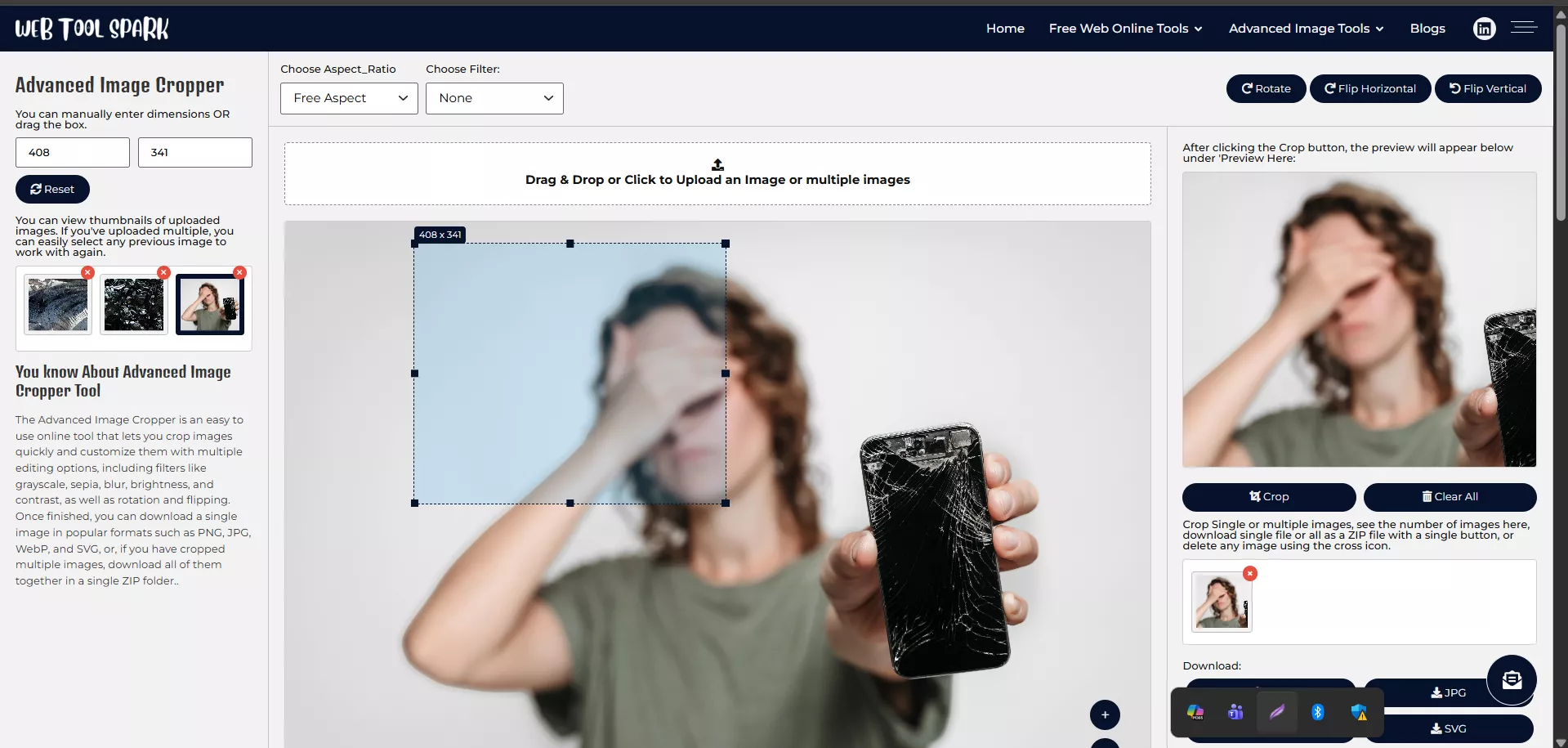
Looking for a fast and free way to crop and edit images online? The Web Tool Spark Image Cropper is your all-in-one solution. Whether you need to crop, resize, filter, or download images in different formats, this smart tool makes image editing simple and professional—right from your browser.
Why Use the Web Tool Spark Image Cropper?
Editing photos does not have to be complicated. With this free online image cropper, you can easily:
- Crop and resize images to the perfect size.
- Apply stunning filters to enhance your photos.
- Download images in JPG, PNG, WEBP, or SVG formats.
- Manage multiple images with an easy thumbnail preview.
No software downloads, no sign-ups-just quick, powerful image editing.
Powerful Features You will Love
The Web Tool Spark Image Cropper is packed with smart features to make your editing experience smooth and efficient:
Multiple Image Management
Upload several images at once and view thumbnails of all your uploads. Switch between them anytime to edit or crop a previous image without starting over.
Multi-Format Downloads
When you are done editing, save your image in the format that works best for you: JPG, PNG, WEBP, or even SVG. Perfect for websites, social media, or high-quality prints.
Creative Filters
Enhance your images instantly with built-in filters:
- Grayscale – For a classy black-and-white look.
- Sepia – Add a warm vintage tone.
- Blur – Create a soft-focus effect.
- Brightness & Contrast – Adjust lighting and details for the perfect balance.
These filters help you create eye-catching visuals in seconds.
Fast & Easy Cropping
Drag the crop box to select the exact portion of the image you want. Resize freely or maintain aspect ratios for a perfect fit.
How to Use the Tool
Editing your images is as simple as 1-2-3:
- Upload Your Images – Drag and drop or click to upload one or multiple photos.
- Edit & Crop – Adjust the crop area, apply filters, and tweak brightness or contrast.
- Download – Save your masterpiece in JPG, PNG, WEBP, or SVG format.
That’s it-your image is ready to share or publish!
Perfect for Creators, Bloggers & Businesses
Whether you are preparing product photos, creating social media content, or editing images for your website, the Web Tool Spark Image Cropper helps you achieve professional results in just a few clicks.
Why Choose Web Tool Spark?
- User-Friendly: Designed for everyone, from beginners to professionals.
- Safe & Private: Your images are never stored or shared.
- Fast & Free: No software installation or hidden charges.
If you want a powerful yet easy-to-use online photo editor, the Web Tool Spark Image Cropper is the perfect choice. Crop, filter, and download images in multiple formats—all for free.